
Screens
Continue a draft, fix a failed render, or start a creative from scratch.
Who sees it
Admins and marketers.
What you can do here
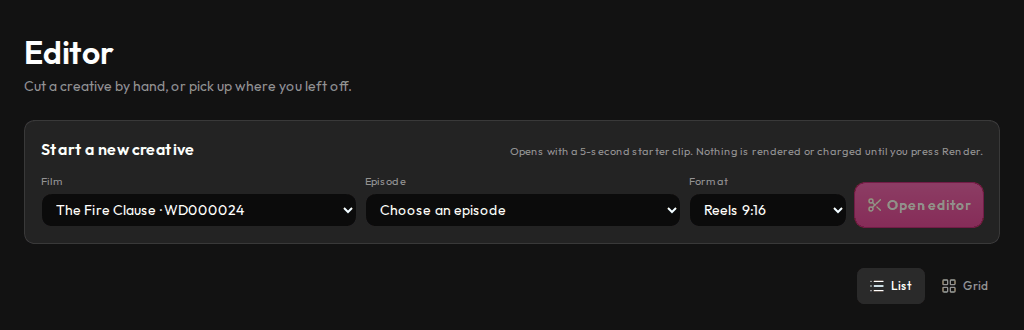
- Start a new creative: pick a film, an episode and a format, then open the editor. Nothing is rendered until you select Render.
- Pick up a draft where you left it, or delete it.
- Duplicate a rendered creative to change it.
- In the editor, cut scenes on the timeline, add captions, music and your brand kit, then render a watermarked preview.
Main steps
- Select Editor in the sidebar.
- Under Start a new creative, choose a film, an episode and a format, then select Open editor. Or select Open on a draft.
- Edit the cut, then render it and submit it for review.
Learn more
Updated 10 Oct 2026 · Change history (1)