
Screens
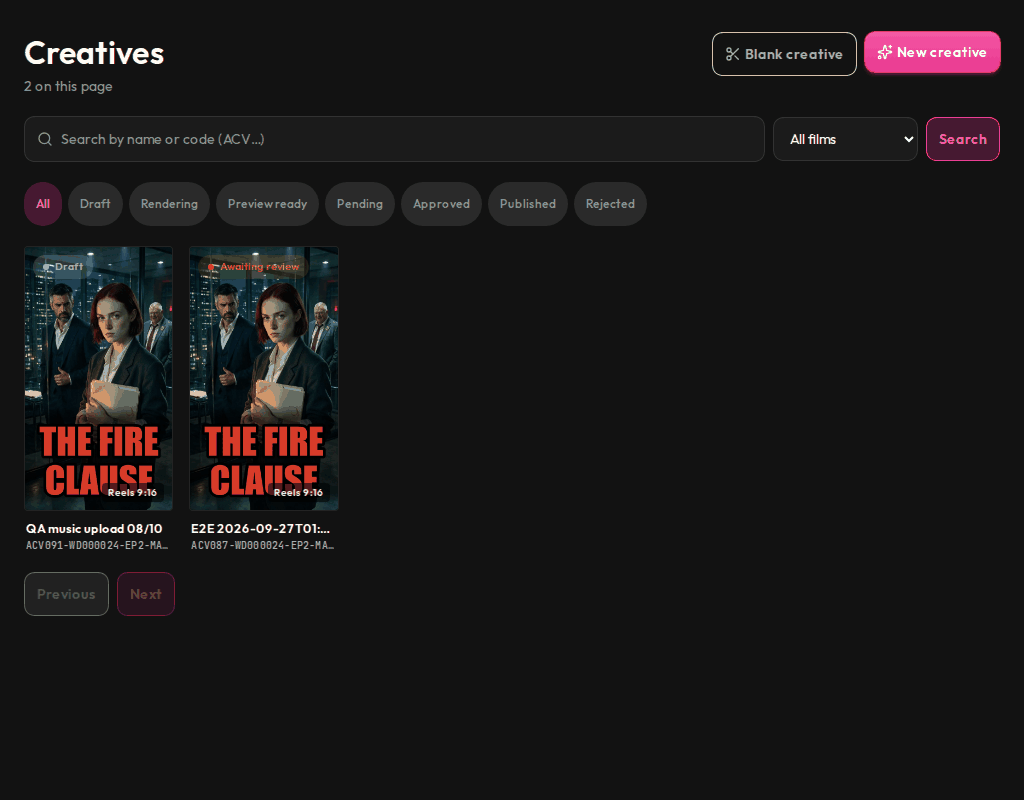
Find any creative by status, film, code or creator.
Who sees it
Admins and marketers. Admins see every creative in the organisation; marketers see the creatives they made.
What you can do here
- Search by name or code and filter by film.
- Filter by status: Draft, Rendering, Preview ready, Pending, Approved, Published or Rejected.
- Open a creative to watch its preview, follow its progress and take the next step.
- Start a new creative with New creative or Blank creative.
Main steps
- Select Creatives in the sidebar.
- Search or pick a status.
- Open a creative and use the action it offers, such as submitting it for review.
Learn more
Updated 10 Oct 2026 · Change history (1)